
Compress a PDF to an exact size
Set a target in MB or KB — PDF to MB shrinks your file so it lands at, or just under, that exact size. Every time.


iOS — coming soon
How it works ↓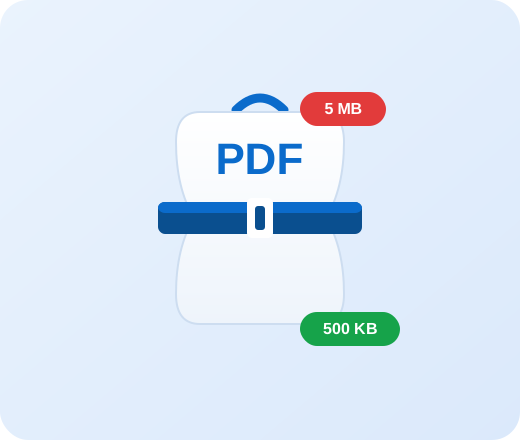
Your files never leave your phone
All compression runs on your device — nothing is ever uploaded to the cloud.
Everything you need to shrink a PDF
Not vague “low / medium / high” quality presets — a real, guaranteed target size.
Exact size targeting
Ask for 2 MB, 500 KB, anything. The output is guaranteed at or just under your target, measured on the real file.
Text stays crisp
Smart mode recompresses only the images and leaves text and vector graphics untouched, so documents stay sharp and selectable.
Scans handled too
Scanned or image-only PDFs are re-rendered at just the right resolution to still meet your size limit.
Private by design
Compression runs entirely on your phone. Your files are never uploaded to a server or shared with anyone.
How it works
Pick your PDF
Open any PDF from your phone — documents, scans, presentations.
Set the target size
Tap a preset or type an exact value and switch between MB and KB.
Compress & share
Get a file at your target size, then share or save it anywhere.
How does compressing a PDF to an exact size work?
Most of a PDF’s size comes from its images. PDF to MB lowers image resolution and JPEG quality and measures the real output at each step, running a binary search to find the highest quality that still fits your target in MB or KB. Whenever a document has real text, that text and its vector graphics are preserved, so the file stays readable and selectable while meeting an exact size limit. Scanned, image-only PDFs are re-rendered at the lowest resolution that still hits your target. Everything happens on your device, so nothing is uploaded.
Compress a PDF to a specific size
Guides for the most common upload limits:
Frequently asked questions
How do I compress a PDF to an exact size?
Open the PDF in PDF to MB, choose a target size in MB or KB (a preset or your own value), and tap Compress. The app produces a file at, or just under, that exact size.
Can I compress a PDF to a specific number of MB or KB?
Yes. That is the whole point of PDF to MB. You set the exact target — for example 1 MB or 480 KB — and the result is guaranteed to be at or under it, not a vague quality preset.
Will compressing reduce the quality?
Only as much as needed to hit your target. The app keeps the highest image quality that still fits the size you asked for, and leaves real text perfectly sharp.
Does the text in my PDF stay sharp?
Yes. For PDFs that contain real text, only the images are recompressed; text and vector graphics are left untouched, so they stay crisp and selectable.
Is it free?
Yes, PDF to MB is free to use. The free version adds a small “PDF to MB” watermark to the result; a one-time in-app purchase removes it forever.
Are my files uploaded to a server?
No. All compression happens locally on your device. Your PDFs are never uploaded, stored, or sent anywhere.
Does it work offline?
Yes. Because everything runs on your phone, PDF to MB works with no internet connection.
What is the smallest size I can reach?
It depends on the document. The app shows the smallest size it can realistically achieve for your file, and if your target is below that it gives you the smallest possible result instead.
Can it compress scanned PDFs?
Yes. Scanned or image-only PDFs are re-rendered at a lower resolution chosen to meet your target size while staying legible.
How do I remove the watermark?
Open Settings and choose “Remove watermark forever.” It is a one-time purchase that unlocks the Premium version with no watermark on any file.
Which devices are supported?
PDF to MB is an Android app. You can install it from Google Play on phones and tablets running a recent version of Android.
Shrink your next PDF to the exact size you need
Free, private, and on-device. Set a size in MB or KB and you’re done.